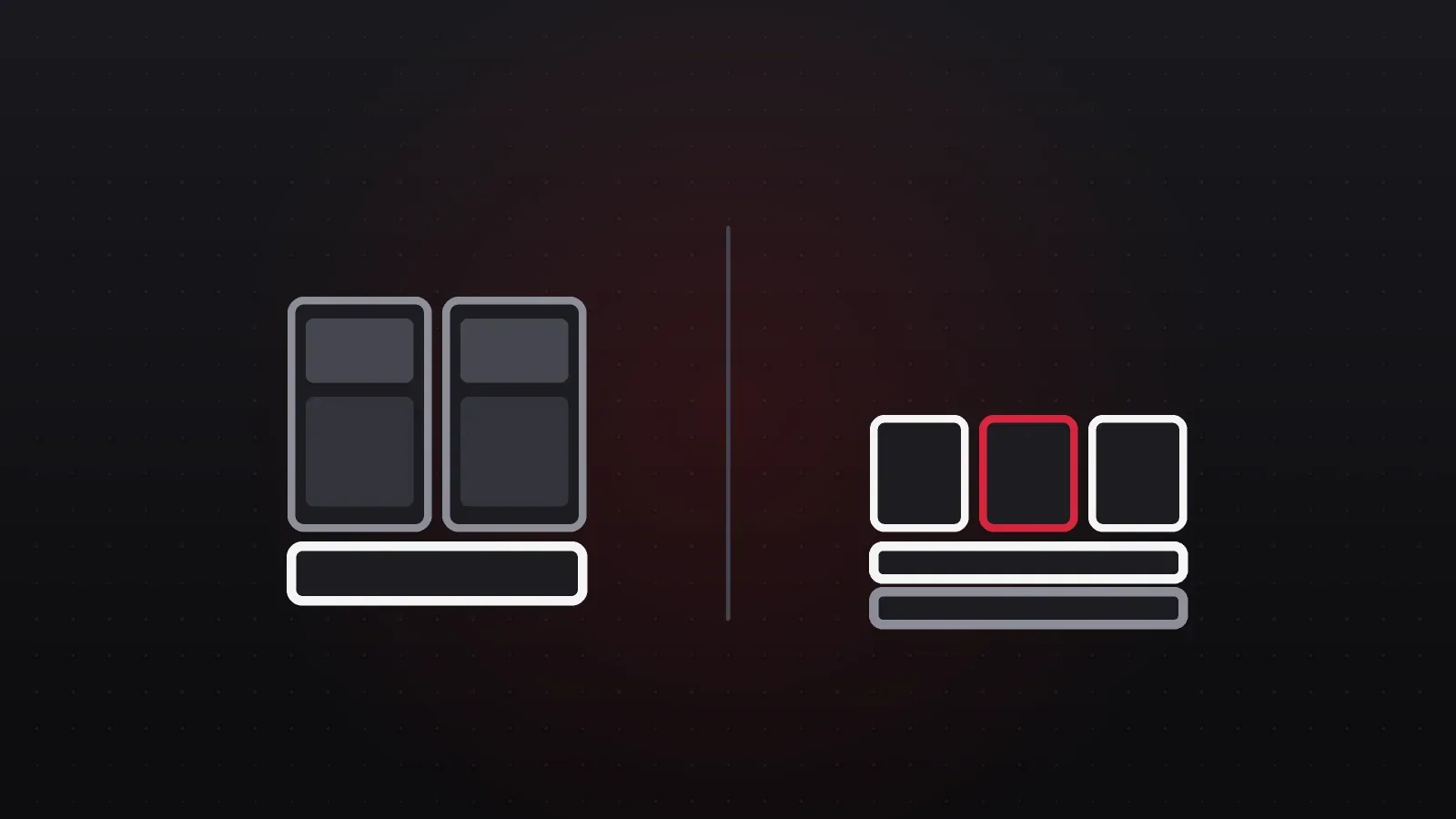
A virtual machine runs a full guest operating system on virtual hardware from a hypervisor, while a container is an isolated process sharing the host's kernel. Containers are typically lighter and start faster. Virtual machines isolate more strongly and can run a different operating system.
Table of contents 7 sections
- A virtual machine includes a full guest operating system, while a container shares the host's kernel and packages only an application and its libraries.
- Containers start faster and pack more densely because they avoid booting a separate operating system.
- Virtual machines isolate more strongly, since NIST SP 800-190 notes that a shared kernel gives containers a larger attack surface.
- Docker did not invent containers; it made building, sharing and running them simple, and the Open Container Initiative standardised the formats.
- Most cloud systems combine the two by running containers inside virtual machines.
The core of containers vs virtual machines is where the isolation boundary sits. A virtual machine (VM) emulates a whole computer and runs its own operating system on top, while a container is an isolated process that shares the host's operating system kernel and carries only the files its application needs. Both let many workloads share one physical server, but they trade size, speed and separation differently.
How does a virtual machine work?
A hypervisor, such as KVM, Microsoft Hyper-V or VMware ESXi, divides a physical machine into virtual hardware. Each VM sees its own processor, memory, disk and network card, and boots a complete guest operating system with its own kernel. That is why a single server can run Linux and Windows VMs side by side.
The price of that independence is weight. Every VM carries a full operating system that must boot, be patched and be given a dedicated allocation of memory and disk, even when the application inside is small.
How does a container work?
A container is an ordinary process on the host that the Linux kernel has walled off. Two kernel features do the work. Namespaces give a process its own isolated view of resources such as process IDs, network interfaces and mounted file systems. Control groups, known as cgroups, limit and monitor how much CPU, memory and other resources the process may use.
A container image supplies the files: the application, its libraries and a minimal file system, with no kernel of its own. Docker's documentation describes a container as an isolated process with all the files it needs to run, and notes that multiple containers share the same kernel. That sharing is why a container starts about as quickly as a program launches, and why one server can usually host more containers than VMs.
What did Docker actually change?
Container technology existed before Docker. What the company did, starting in 2013, was make it easy to use: a simple format for building images, a command line to run them and a registry to share them. Building an application once and running it the same way everywhere became a routine workflow rather than an aspiration.
Images are assembled in layers from a text recipe called a Dockerfile, and layers shared between images are stored once. That saves disk space and download time when many services build on the same base.
In 2015 Docker and other industry players founded the Open Container Initiative, which maintains open specifications for image formats and runtimes. Because of those standards, images are not tied to a single vendor's tools.
Containers vs virtual machines: the main differences
- Isolation: a VM has its own kernel behind a hypervisor boundary. Containers share the host kernel, so their separation relies on kernel features.
- Size: a VM image holds a full operating system, while a container image holds an application and its libraries, so images are usually far smaller.
- Startup: a VM has to boot an operating system. A container starts like a program, which suits workloads that scale up and down quickly.
- Density: sharing one kernel lets a host run more containers than VMs, which can mean fewer servers for the same work. Power use is one reason that matters, as our look at data center energy demand shows.
- Operating systems: containers are tied to the host's operating system family, so a Linux host runs Linux containers. A VM can run any system its hypervisor supports.
The two are often stacked. On Windows and macOS, Docker Desktop runs Linux containers inside a lightweight Linux VM, because those systems have no Linux kernel to share.
Which is more secure?
VMs draw a stronger boundary by default. The National Institute of Standards and Technology covers this in SP 800-190, its application container security guide. It explains that containers share a kernel, so the degree of segmentation between them is far less than a hypervisor provides between VMs, and that a shared kernel enlarges the attack surface. A kernel flaw, or a container started with excessive privileges, can affect everything on the host.
That does not make containers unsafe. It means the defaults matter. Run as a non-root user, drop privileges you do not need, keep images patched and avoid mixing workloads of different trust levels on one host. Sandboxed runtimes such as Kata Containers and gVisor add a lightweight VM or a user-space kernel around containers for extra separation.
Can you use both together?
Most real systems do. Public cloud platforms sell virtual machines as their basic infrastructure product, the IaaS layer described in our guide to IaaS vs PaaS vs SaaS, and teams commonly run containers inside those VMs. The VM gives a strong wall between customers or teams, and the containers give fast, dense packaging within it. When there are too many containers to manage by hand, an orchestrator takes over, and Kubernetes is the best known.
Containers vs virtual machines: which should you choose?
Choose containers for stateless web services, microservices, build pipelines and development environments where every machine should look identical. Choose VMs when you need a different operating system or kernel version, run legacy software that expects a full operating system, or must keep untrusted tenants strongly apart.
- List what the workload needs from the operating system. A different kernel or operating system family points to a VM.
- Decide how far you trust neighbouring workloads. Untrusted code on a shared host calls for VM or sandbox isolation.
- If you choose containers, keep images small, rebuild them regularly to pick up patches, and avoid running as root.
- Set resource limits. Docker's --cpus=0.5 flag, for example, caps a container at half of one CPU, or 50 percent of a single core, and --memory caps its memory.
- Keep data outside the container, in a volume or a managed database, because containers are meant to be disposable.
Neither choice is permanent. A workload that starts in a VM can be containerised later, and the reverse happens when a security review demands a harder boundary. Measure before you migrate: start time, memory use and operating effort are easier to compare on your own application than in any general article.
Frequently asked
- What is a container? — Docker Documentation
- NIST SP 800-190: Application Container Security Guide — National Institute of Standards and Technology
- About the Open Container Initiative — Open Container Initiative
- Resource constraints — Docker Documentation
0 comments
No comments yet — be the first.