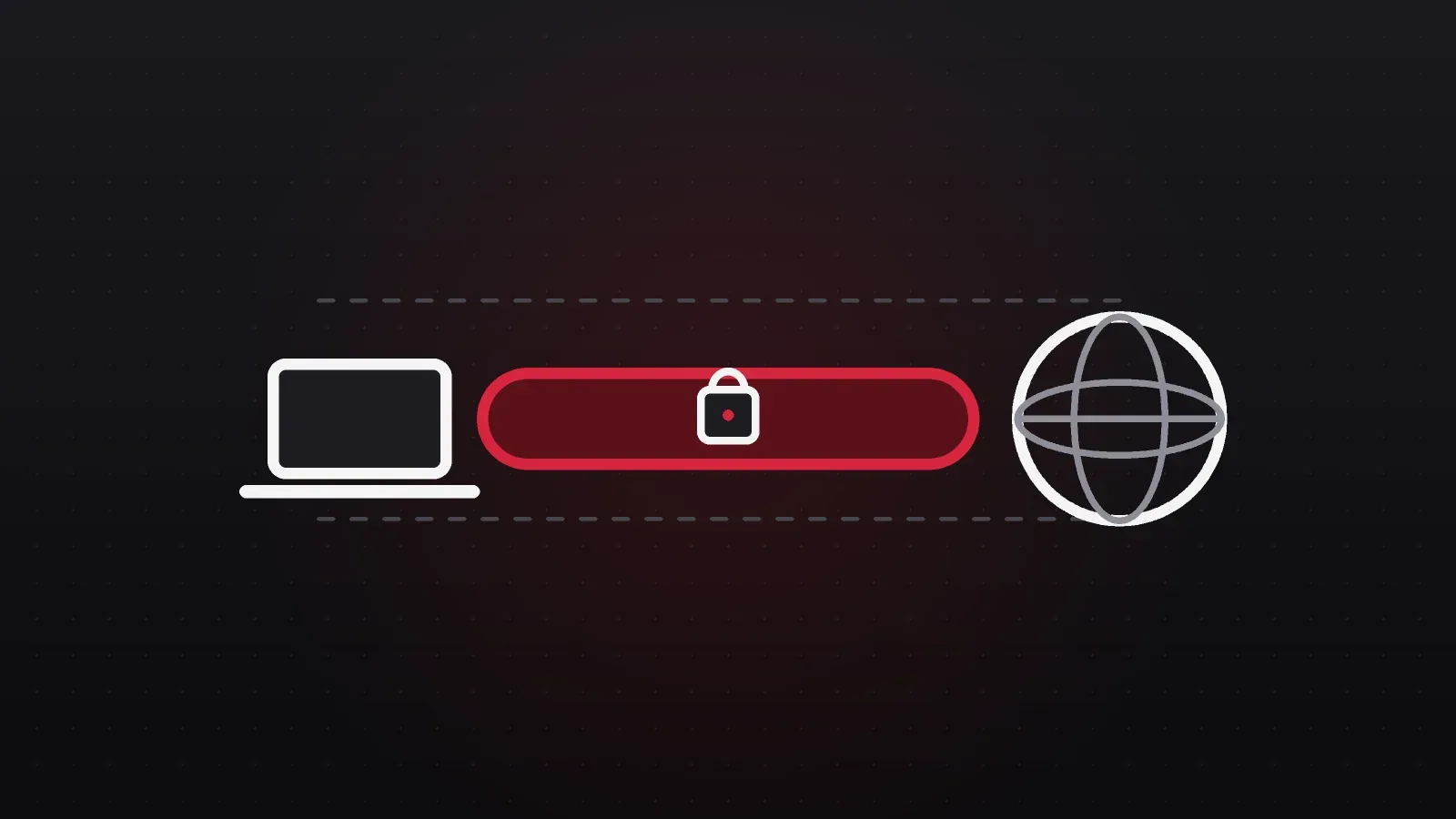
A VPN encrypts your internet traffic on your device and sends it through a server run by the VPN provider. Your internet provider and local network see only the encrypted tunnel, and websites see the server's address, not yours. It does not make you anonymous or stop phishing and malware.
Table of contents 6 sections
- A VPN encrypts your traffic and routes it through a provider's server, so websites see the server's IP address instead of yours.
- Your internet provider and the local network see the tunnel but not your destinations, while the VPN provider sees them instead.
- A VPN does not make you anonymous, and it does not stop malware, phishing or weak passwords.
- HTTPS already encrypts the content of most connections, so a VPN matters most on untrusted networks or for reaching a private network.
- Choose a provider on its business model, published audits and privacy policy, not on its advertising claims.
How does a VPN work? It wraps your internet traffic in encryption and sends it to a server run by the VPN provider, which forwards it to the wider internet on your behalf. Your network and your internet provider see only a scrambled connection to that server, and the websites you visit see the server's address instead of yours.
That description already hints at the limits. A VPN does not remove the middleman; it swaps one for another. Whether it helps depends on whether you trust the VPN company more than the network you were avoiding.
How does a VPN work, step by step?
- The app connects to a VPN server. The two sides authenticate each other and agree on encryption keys, using a tunnelling protocol such as IPsec, OpenVPN or WireGuard.
- Your traffic is wrapped. Each data packet is encrypted and placed inside a new packet addressed to the VPN server, a step called encapsulation.
- The server unwraps it. It decrypts your packet and sends the original request to its destination, such as a website, using the server's own IP address.
- The reply returns the same way. The site answers the server, which encrypts the response and sends it back through the tunnel to your device.
IPsec, whose architecture is defined in RFC 4301, is common in business networks. WireGuard is a newer protocol that lives inside the Linux kernel and is valued for being simple and fast. For most users the protocol matters less than who runs the server.
What does a VPN hide?
From the local network and your internet provider, it hides which sites you visit and what you send. They can still see that you are connected to a VPN server, when, and roughly how much data moves. This matters most on networks you do not control, such as a café, hotel or airport.
From websites, it hides your real IP address, which gives away your approximate location and your internet provider. The site sees the VPN server's address instead, which is often shared with many other users. That is also why VPNs can bypass some regional blocks, although streaming services increasingly block devices that appear to be using one.
The Electronic Frontier Foundation (EFF) points out in its guide to choosing a VPN that most web traffic is now encrypted with HTTPS, so a VPN is less essential on public Wi-Fi than it once was. The HTTP Archive's 2024 Web Almanac found that 95.6% of mobile home pages were served over HTTPS. HTTPS protects the content of a connection but not the metadata: your provider can usually still see the domain names you visit and when. A VPN protects that metadata from the network, then hands it to the VPN company.
What does a VPN not hide?
- Your activity from the VPN provider. It sits in the middle and can see where your traffic goes. A no-logs promise is a claim, not a guarantee.
- Who you are when you sign in. Log in to an account and the site knows it is you, whatever address you arrive from.
- Cookies and browser fingerprints. Trackers can still recognise your browser, which is why EFF stresses that a VPN is not a tool for anonymity.
- Traffic beyond the VPN server. From the server to the website, protection is whatever the site provides, usually HTTPS.
- Threats on your own device. A VPN does not stop malware, and it does nothing about a convincing fake login page. Our guide to spotting a phishing email covers the lures that work.
If an advertisement implies that a VPN stops hackers, trackers and surveillance all at once, treat it as marketing. EFF lists strong passwords, two-factor authentication, software updates and device encryption as more impactful steps, and passkeys, which our explainer on how passkeys work covers, take the password itself out of the equation.
When is a VPN worth using?
- On a network you do not trust, when you are not sure who runs the Wi-Fi, and you have a VPN provider you do trust.
- To reach a private network, such as your office intranet while travelling or your home network from abroad. This was the original purpose of the technology.
- To get around censorship or regional blocks, with the caveat that results vary and some services detect and refuse VPN traffic.
- To keep your browsing away from your internet provider, if you accept that the VPN provider can now see it instead.
If what you need is stronger anonymity, EFF recommends Tor over a VPN, because no single Tor server can see your browsing data.
How do you choose a VPN you can trust?
Because the provider sees your traffic, trust is the product you are buying. Start with the business model: if the service is free, work out how it pays its bills, since a service that collects no data cannot sell it. Read the privacy policy for what is logged and under which circumstances data is handed to authorities.
Look for independent security audits whose results are published, a team that is willing to put its names to the service, and a reputation that survives a search of news coverage. Be wary of hyperbolic claims, and do not assume an app is safe just because it appears in an official app store. Technical features worth having include a modern protocol, a kill switch that blocks traffic if the tunnel drops, and DNS protection, so that the lookups that turn names into addresses do not escape the tunnel and reveal your destinations to your internet provider.
What should you do next?
Secure the basics first: unique passwords, a second sign-in step and prompt software updates. Then decide whether you have a specific VPN use from the list above. If you do, pick a provider using the checks above and treat it as one layer of protection, not a shield for everything you do online.
Frequently asked
- RFC 4301: Security Architecture for the Internet Protocol — IETF
- WireGuard: fast, modern, secure VPN tunnel — WireGuard
- Choosing the VPN That's Right for You — Electronic Frontier Foundation, Surveillance Self-Defense
- Web Almanac 2024: Security — HTTP Archive

0 comments
No comments yet — be the first.